
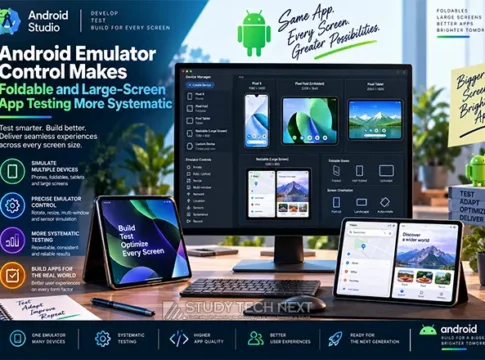

The Android development landscape is evolving rapidly, and the latest update on August 31, 2026, marks a significant milestone. With the introduction of enhanced Android Emulator controls, testing apps for foldable and large-screen devices has become more systematic and efficient. This update is a game-changer for developers aiming to optimize their applications for a diverse range of devices, ensuring seamless user experiences across different screen sizes and orientations.
Key Highlights
– **Date of Update:** August 31, 2026
– **New Capabilities:** Automate display changes and device states
– **Availability:** Accessible to all Android developers
– **Benefits:** Streamlined testing for adaptive layouts
– **Limitations:** Emulation may not fully replace physical-device testing
What You Will Learn
– Understanding adaptive interfaces for foldable and large-screen devices
– Exploring window classes and their impact on app design
– Preserving app state during resizing, rotation, and folding
– Implementing automated tests for efficient development cycles
– Comparing emulator testing with hardware testing for accuracy
The Importance of Adaptive Layouts
Adaptive layouts are crucial for ensuring that applications provide a consistent user experience across various devices. With the rise of foldable phones and large-screen tablets, developers must design interfaces that can dynamically adjust to different screen sizes and orientations. This involves creating flexible UI components that can handle resizing, rotation, folding, and multi-window use without losing functionality or aesthetic appeal.
Automating Display Changes and Device States
The new emulator controls introduced in the August 2026 update allow developers to automate display changes and device states. This means that developers can simulate different screen configurations and test how their apps respond to these changes without needing physical devices. This automation is particularly beneficial for testing adaptive layouts, as it enables developers to quickly identify and fix issues related to screen transitions and state preservation.
Benefits of Emulator Testing
Emulator testing offers several advantages, including increased testing efficiency and reduced costs. By using emulators, developers can test their applications on a wide range of virtual devices, ensuring compatibility and performance across different hardware configurations. This approach also allows for rapid iteration and debugging, as developers can quickly make changes and see the results in real-time.
Limitations and the Need for Physical-Device Testing
While emulators provide a convenient and cost-effective testing solution, they cannot fully replicate the experience of using a physical device. Factors such as touch sensitivity, hardware-specific bugs, and real-world performance can only be accurately assessed on actual devices. Therefore, it is essential for developers to complement emulator testing with physical-device testing to ensure their applications deliver optimal performance and user satisfaction.
Practical Layout-Test Matrix
To effectively test adaptive layouts, developers can use a layout-test matrix that covers various scenarios, including different screen sizes, orientations, and device states. This matrix should include tests for resizing, rotation, folding, and multi-window use, ensuring that the application maintains its functionality and visual integrity across all scenarios.
Common Mistakes and Safe Developer Guidance
Common mistakes in adaptive layout design include neglecting to test for all possible screen configurations and failing to preserve app state during transitions. Developers should ensure that their applications are thoroughly tested using both emulators and physical devices, and they should follow best practices for state management and UI design to avoid these pitfalls.
Accessible Sample-App Exercise
To help developers get started with testing adaptive layouts, an accessible sample-app exercise can be invaluable. This exercise should guide developers through the process of setting up emulator tests, configuring different device states, and evaluating the app’s performance across various scenarios. By following this exercise, developers can gain hands-on experience and confidence in their ability to create adaptive interfaces.
In conclusion, the August 2026 update to Android Emulator controls represents a significant advancement in app testing for foldable and large-screen devices. By leveraging these new capabilities, developers can streamline their testing processes and ensure their applications are ready for the diverse range of devices in the market. However, it is crucial to remember that emulators are not a substitute for physical-device testing, and a balanced approach is necessary to achieve the best results. As the Android ecosystem continues to evolve, staying informed and adapting to new tools and techniques will be key to success.“Emulators are a powerful tool for testing, but they should be used in conjunction with physical devices to ensure comprehensive app quality.” – Android Developer Advocate