
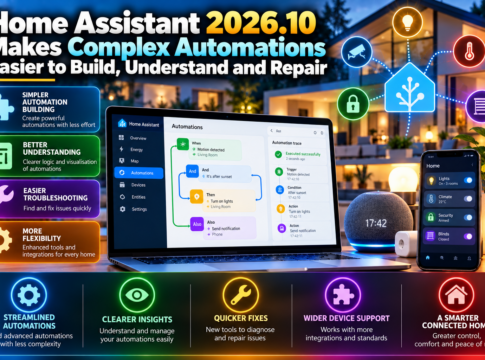

Home Assistant’s latest release, 2026.10, is a game-changer for smart home enthusiasts, making complex automations easier to build, understand, and repair. This update introduces a host of new features, including a trigger-ID interface, vector maps, and enhanced Modbus panel visibility, alongside improved timer controls and integrations. Let’s dive into the key highlights and explore how these advancements can transform your smart home experience.
Key Highlights
– Release Date: The Home Assistant 2026.10 update was officially released on October 7, with a patch following on October 10.
– Trigger-ID Interface: A new interface that simplifies the creation and management of complex automations by allowing branching based on the event trigger.
– Vector Maps: Introduction of vector tiles for more detailed and scalable map visualizations.
– Modbus Panel: Enhanced visibility and control within the Modbus integration, making it easier to manage industrial devices.
– Timer Controls: Improved timer functionalities for more precise automation scheduling.
– Integrations: Expanded support for new devices and platforms, enhancing the ecosystem’s versatility.
– Patch Release: The October 10 patch addressed minor bugs and improved overall system stability.
– Breaking Changes: Some integrations may require updates due to underlying changes in the system architecture.
What You Will Learn
– How to utilize trigger IDs to create dynamic automations that respond to specific events.
– Understanding conditions and actions within the new automation framework.
– The role of identifiers in managing complex automation scenarios.
– Leveraging YAML for advanced configuration and customization.
– Exploring vector tiles for enhanced map visualizations.
– Ensuring local control and security within your smart home setup.
– Navigating integration updates and maintaining compatibility.
How and Why It Works
The introduction of trigger IDs in Home Assistant 2026.10 allows users to create automations that can branch based on the specific event that initiated them. This means that a single automation can have multiple pathways, each tailored to a different trigger. For example, a door sensor could trigger different actions depending on whether it was opened or closed, enhancing the flexibility and responsiveness of your smart home system.
Practical Applications
Consider a scenario where you want to automate your home’s lighting based on door activity. With the new trigger-ID interface, you can set up an automation that turns on the lights when the door opens and turns them off when it closes. Additionally, you can incorporate a test mode to ensure everything works as expected before fully implementing the automation. Backups can be created to restore previous settings if needed, ensuring a seamless and reversible setup.
Limitations and Misconceptions
While Home Assistant 2026.10 offers significant advancements, it’s important to note that not all integrations may be immediately compatible with the new features. Community-maintained components might require updates to function correctly. Additionally, while local control enhances security, it does not automatically guarantee it; regular updates and security practices are essential to protect your smart home environment.
Learning Takeaways
– Upgrade Checklist: Ensure all integrations are updated and compatible with the new release.
– Automation Debugging: Use the new trigger-ID interface to test and refine automations.
– Backup Strategies: Regularly back up your configurations to prevent data loss.
– Security Practices: Maintain robust security measures to protect your local network.
In conclusion, Home Assistant 2026.10 significantly enhances the ability to build, understand, and repair complex automations. By leveraging new features like trigger IDs and vector maps, users can create more dynamic and responsive smart home environments. As you explore these updates, remember to keep your system secure and up-to-date, ensuring a seamless and efficient smart home experience.