
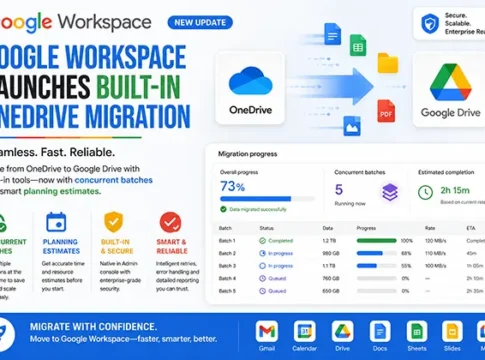

Google Workspace has taken a significant step forward in cloud data management by launching a built-in OneDrive migration tool. This new feature, available from August 25, offers advanced data import capabilities for large-scale Microsoft OneDrive migrations. With features like concurrent batches, permission transfer, and planning estimates, this tool is set to revolutionize how organizations handle data migration. Let’s delve into the details of this new offering and explore its implications for businesses and IT administrators.
Understanding the New OneDrive Migration Tool
The newly launched OneDrive migration tool by Google Workspace is designed to simplify the process of transferring data from Microsoft OneDrive to Google Workspace. This tool supports concurrent batches, allowing multiple data sets to be migrated simultaneously, thereby reducing the overall migration time. Additionally, it provides planning estimates to help organizations better prepare for the migration process.
Key Features of the Migration Tool
– Concurrent Batches: Migrate multiple data sets at once to save time.
– Permission Transfer: Ensure that all file permissions are retained during the migration.
– Planning Estimates: Receive detailed timelines and resource estimates for the migration process.
– Licensing-Tier-Aware Throughput: Optimize migration speed based on your Google Workspace licensing tier.
Benefits for Administrators and Organizations
This migration tool is a boon for IT administrators and organizations looking to streamline their data management processes. By offering a built-in solution, Google Workspace eliminates the need for third-party tools, reducing costs and potential security risks. The tool is available at no additional cost, making it an attractive option for businesses of all sizes.
Supported Workspace Editions
The OneDrive migration tool is supported across various Google Workspace editions, ensuring that a wide range of users can benefit from its features. This inclusivity ensures that organizations, regardless of their size or industry, can leverage the tool for efficient data migration.
Security and Continuity Benefits
Security is a top priority for any data migration process. Google Workspace’s built-in tool ensures that all data is transferred securely, maintaining the integrity and confidentiality of sensitive information. Additionally, by retaining file permissions, the tool ensures continuity in data access and collaboration post-migration.
Addressing Source-Quota and Compatibility Limitations
While the migration tool offers numerous benefits, it’s essential to be aware of potential limitations. Source-quota restrictions may impact the amount of data that can be migrated at once. Additionally, compatibility issues may arise with certain file types or configurations. Organizations should conduct a thorough assessment to identify and mitigate these risks before initiating the migration.
Comparisons with Third-Party Tools
Third-party migration tools have long been the go-to solution for data transfers. However, Google Workspace’s built-in tool offers several advantages, including cost savings, enhanced security, and seamless integration with existing Google services. While third-party tools may offer additional features, the built-in tool provides a robust and reliable alternative for most organizations.
Practical Preparation and Validation Guidance
To ensure a smooth migration process, organizations should follow best practices for preparation and validation. This includes conducting a thorough data audit, setting clear migration goals, and testing the migration process with a small data set before proceeding with the full migration. Post-migration, it’s crucial to validate the data to ensure accuracy and completeness.
FAQs About the OneDrive Migration Tool
– **Is there an additional cost for using the migration tool?** No, the tool is available at no additional cost to Google Workspace users.
– **What editions of Google Workspace support the tool?** The tool is supported across various Google Workspace editions.
– **How does the tool handle file permissions?** The tool ensures that all file permissions are retained during the migration.
Future Implications for Cloud-Platform Competition
The introduction of this migration tool by Google Workspace marks a significant development in the cloud-platform competition. By offering a comprehensive, built-in solution for OneDrive migrations, Google is positioning itself as a leader in cloud data management. This move is likely to prompt other cloud service providers to enhance their offerings, ultimately benefiting businesses with more robust and competitive solutions.
In conclusion, Google Workspace’s new OneDrive migration tool is a game-changer for organizations looking to streamline their data migration processes. With features like concurrent batches, permission transfer, and planning estimates, it offers a comprehensive solution that is both cost-effective and secure. As cloud-platform competition intensifies, businesses can look forward to even more innovative solutions in the future.