
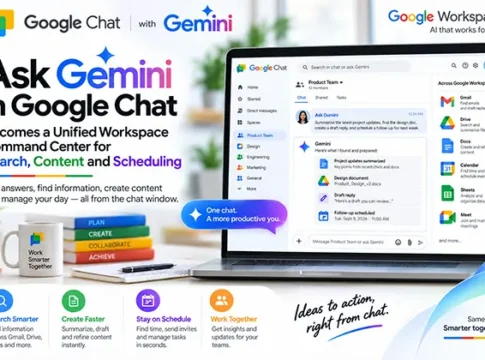

Google’s latest innovation, Ask Gemini in Google Chat, is transforming the way we interact with digital workspaces. Launched on August 26, this feature is set to become a unified command center for search, content creation, and scheduling, enhancing productivity across Google Workspace. In this article, we delve into the capabilities of Ask Gemini, its impact on users, and how it stands against other workplace assistants.
The Rollout of Ask Gemini
Starting August 26, Google began rolling out Ask Gemini in Google Chat, a feature designed to streamline tasks by integrating search, content generation, and scheduling into a single interface. This rollout marks a significant step in Google’s efforts to enhance Workspace Intelligence, providing users with a more cohesive and efficient digital environment.
Workspace Intelligence: A New Era
Ask Gemini leverages Workspace Intelligence to perform searches across Gmail, Drive, and Calendar, offering users a seamless experience. This integration allows for quick access to emails, documents, and scheduled events, all from within Google Chat. The feature also supports content and image generation, enabling users to create and share information effortlessly.
Key Features of Ask Gemini
Search Across Platforms
With Ask Gemini, users can perform comprehensive searches across Gmail, Drive, and Calendar. This capability ensures that all relevant information is at your fingertips, reducing the time spent switching between applications.
Content and Image Generation
The feature includes tools for generating content and images, making it easier for users to create presentations, reports, and other documents without leaving the chat interface. This functionality is particularly beneficial for teams that rely on visual content for communication.
Conversation Summaries and Task Management
Ask Gemini can summarize conversations, helping users quickly catch up on discussions. Additionally, it offers task management capabilities, allowing users to create, assign, and track tasks directly within Google Chat.
Meeting Scheduling
Scheduling meetings has never been easier. Ask Gemini integrates with Google Calendar to suggest optimal meeting times, send invites, and manage RSVPs, all from within the chat interface.
Supported Editions and Languages
Ask Gemini is available across various Google Workspace editions, ensuring broad accessibility. It supports multiple languages, making it a versatile tool for global teams.
Transition from Gemini Side Panel
The introduction of Ask Gemini replaces the previous Gemini side panel in Google Chat. However, it’s important to note that earlier conversation histories will not migrate to the new system, which may affect users who rely on past chat records.
Productivity Benefits and Usage Limits
Ask Gemini promises significant productivity benefits by consolidating multiple functions into a single platform. However, users should be aware of usage limits that may apply, particularly in high-demand environments.
Data-Access and Hallucination Risks
While Ask Gemini offers powerful capabilities, users must be cautious of data-access risks and potential hallucinations, where the AI might generate inaccurate information. Ensuring data security and accuracy remains a priority for Google.
Practical Setup Guidance
Setting up Ask Gemini is straightforward. Users can enable the feature through their Google Workspace settings, ensuring they have the latest updates installed. Familiarizing oneself with the interface will maximize the benefits of this tool.
Comparisons with Competing Workplace Assistants
Ask Gemini stands out among workplace assistants like Microsoft’s Cortana and Slack’s Workflow Builder due to its deep integration with Google Workspace. Its ability to perform cross-platform searches and generate content directly within chat gives it a competitive edge.
FAQs
What is Ask Gemini? – A unified command center in Google Chat for search, content creation, and scheduling.
How do I access Ask Gemini? – Enable it through Google Workspace settings.
What are the usage limits? – Specific limits may apply, particularly in high-demand environments.
Future Implications
As Google continues to innovate, Ask Gemini is poised to evolve, potentially incorporating more advanced AI capabilities and integrations. This development could redefine digital workspaces, making them more intuitive and efficient.
In conclusion, Ask Gemini in Google Chat is a groundbreaking feature that consolidates search, content creation, and scheduling into a single platform. By enhancing productivity and streamlining workflows, it sets a new standard for digital workspaces. As users adapt to this tool, the future of workplace efficiency looks promising.